
Scaling an Online Store? Your Images Need a System, Not Just Editing
Apparel e-commerce brands, fashion retailers, DTC clothing stores, online fashion marketplaces
Md Abul Kalam Azad
12/22/20255 min read
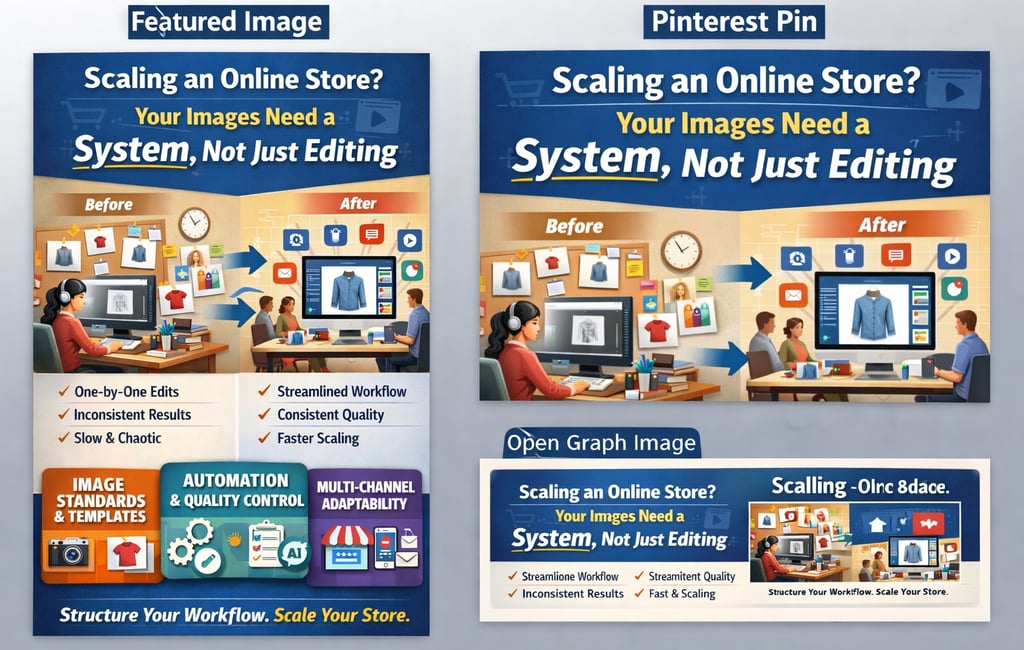
At the beginning, a few well-edited photos feel like a win. Sales come in, listings go live, and everything seems under control. Then the catalog grows. Variants multiply. New photographers join. Deadlines tighten. Suddenly, image quality slips, revisions pile up, and teams start fixing the same problems again and again.
That’s not an editing problem. It’s a systems problem.
This article breaks down what an image system actually looks like, why it matters when you scale, and how brands move from one-off edits to a repeatable, reliable post‑production process.
Why “Just Editing” Stops Working as You Scale in Apparel E-commerce
Apparel stores face a different level of pressure than most other e-commerce categories.
Unlike hard goods, clothing products depend heavily on fit, drape, texture, and color accuracy. When catalogs scale, even small inconsistencies become obvious fast.
Editing works fine when the volume is low. You can eyeball things. You can fix issues manually. You can rely on one person’s taste.
Scaling changes the rules.
When you’re handling hundreds or thousands of product images each month, small inconsistencies compound fast:
Slightly different background whites across categories
Shadows facing different directions
Crops that don’t line up in grids
Color drifting between batches
Different retouchers are making different judgment calls
Individually, these issues seem minor. Together, they create a messy storefront that feels unpolished and unreliable.
A system replaces guesswork with rules.
What an Image System Really Means
An image system is not software. It’s not a preset. It’s not a single retoucher.
It’s a set of decisions made once and followed every time.
A proper system answers questions before they become problems:
How tight is the crop for each category?
What exact white value is used for backgrounds?
How strong are shadows, and where do they fall?
How are color corrections handled across variants?
What level of retouching is acceptable, and what crosses the line?
When these answers live in someone’s head, scaling breaks. When they live in a documented workflow, scaling becomes predictable.
The Core Components of a Scalable Image System
Let’s break it down into practical parts.
1. Visual Standards (Non‑Negotiables)
These are your visual rules. They should be boring, specific, and consistent.
Examples:
Background color defined by exact RGB or HEX value
Fixed aspect ratios for product categories
Standard shadow opacity and blur range
Consistent camera angle expectations
This is what keeps images looking like they belong to the same brand, even when shot months apart.
2. Retouching Rulesets (What to Fix and What to Leave)
Over‑retouching kills trust. Under‑retouching kills polish.
A ruleset defines the line.
For example:
Remove dust, lint, and wrinkles — yes
Change fabric texture — no
Correct color to match physical product — yes
“Improve” color beyond reality — no
When every retoucher follows the same logic, results stay consistent without endless revisions.
3. File Naming and Folder Logic
This sounds boring. It’s not.
Bad naming systems waste hours every month.
A scalable setup includes:
Product ID always in the filename
Clear variant indicators (color, angle, pack size)
Version control for revisions
Predictable folder structures
This makes it possible to automate uploads, replace images without confusion, and onboard new team members fast.
4. Variant Handling for Apparel Products (The Silent Brand Killer)
Apparel brands deal with more variants than almost any other category: colors, sizes, fabrics, and fits.
Without a system, clothing stores end up with:
One colorway looks warmer or cooler than the rest
Fabric textures appear inconsistent across sizes
Ghost mannequin images that don’t align in posture or proportions
Hand-edited variants drift further from the original over time
A strong apparel-focused system defines:
A master garment image for each style
Controlled color change processes for multiple SKUs
Consistent ghost mannequin alignment and neck depth
Acceptable tolerance limits for fabric tone and saturation
This keeps apparel listings visually unified while preserving realism.
5. Revision and Feedback Workflow
Revisions aren’t bad. Chaotic revisions are.
A system clarifies:
What qualifies as a valid revision
How feedback is given (visual markup beats text)
How many rounds are standard
What happens when the scope changes
This protects both the brand and the editing team from endless back‑and‑forth.
Why Systems Improve Speed Without Sacrificing Quality
Here’s the counterintuitive part: rules speed things up.
When retouchers don’t have to guess, they work faster. When photographers know the requirements, they shoot better. When managers trust the output, approvals move quickly.
Speed doesn’t come from rushing. It comes from removing decisions.
The Real Business Impact of Image Systems for Fashion Brands
For apparel e-commerce, visual systems directly affect buyer confidence.
Consistent product images reduce hesitation around fit and quality, especially when customers can’t touch the product.
Fashion brands that implement structured image workflows typically see:
Higher add-to-cart rates
Fewer returns caused by a color mismatch
Stronger brand identity across collections
Faster seasonal launches
Cleaner category and collection pages
Brands that implement image systems see changes beyond aesthetics:
Faster product launches
Fewer rejected listings
Lower internal stress
Better customer trust
Stronger brand recall
Customers may not consciously notice consistency, but they feel it. Clean systems signal professionalism.
Why Outsourced Editing Works Best With Systems
Outsourcing fails when instructions are vague.
Outsourcing succeeds when systems are clear.
A professional editing partner doesn’t just execute tasks. They follow standards, flag inconsistencies, and maintain continuity across batches.
That’s how high‑volume brands stay visually stable even as catalogs explode.
Signs Your Brand Needs an Image System (Now)
If any of these feel familiar, it’s time:
You re‑explain preferences on every order
New images don’t match older listings
Different marketplaces require different fixes
Image feedback keeps repeating
Scaling feels heavier, not smoother
These are system gaps, not talent gaps.
Why This Matters for E-commerce SEO and Sales
Search engines reward consistency just like customers do.
Clean backgrounds, uniform crops, accurate colors, and predictable image structures improve:
Page load efficiency
Visual trust signals
Lower bounce rates
Higher conversion rates
Professional photo editing services that follow a system don’t just make images look better. They make listings perform better across marketplaces and search results.
How FixThePhotoOnline Supports Scalable Image Systems for Apparel E-commerce
FixThePhotoOnline works extensively with clothing brands that need consistent, high-volume image editing.
Our apparel-focused workflows support:
Ghost mannequin editing that preserves natural garment shape
Apparel fit and drape correction without distortion
Clean white background editing for fashion marketplaces
Natural shadow addition that enhances depth without distraction
Color correction aligned with fabric reality, not filters
Every batch follows predefined visual standards so collections stay consistent, season after season.
At FixThePhotoOnline, image editing is handled as a structured process, not a one-off task.
Our workflows are built for brands that need:
High-volume batch editing without quality drift
Clean white background editing and natural shadow addition
Consistent color correction across product variants
Pixel-perfect delivery for marketplaces and brand websites
Fast turnaround without sacrificing accuracy
Whether you’re outsourcing clipping path services, background removal, ghost mannequin editing, or full product photo retouching, our team follows documented visual standards to keep your catalog consistent as it grows.
When to Move From Ad-hoc Editing to a System
You’re ready for a structured image workflow if:
Your product catalog is expanding monthly
You sell across multiple platforms with strict image guidelines
Revisions keep repeating the same feedback
Different editors produce different results
Visual consistency feels harder to maintain over time
This is where professional, system-driven photo editing becomes a growth tool instead of a bottleneck.
Final Thought
# Great images attract attention.
## Consistent images build trust.
### A system makes both sustainable.
If your online store is scaling, your post-production workflow needs more than talent. It needs structure, repeatability, and a partner who understands high-volume e-commerce image editing at a professional level.
FixThePhotoOnline
Professional photo editing & retouching services for everyone.
© 2025. All rights reserved.